
Where Can I Get Free Resume Templates?


- Best Places To Find Free Resume Templates
- What To Look For in a Resume Template
- Choosing a Resume Format That Matches Your Experience
- Example of a Clean Resume Template
- Tips for Customizing a Free Template
- Mistakes To Avoid When Using a Resume Template
- Why Avoid Overly Designed Templates
- Using Resume Templates for Career Changes
- FAQs About Jobs for People With Mental Illness
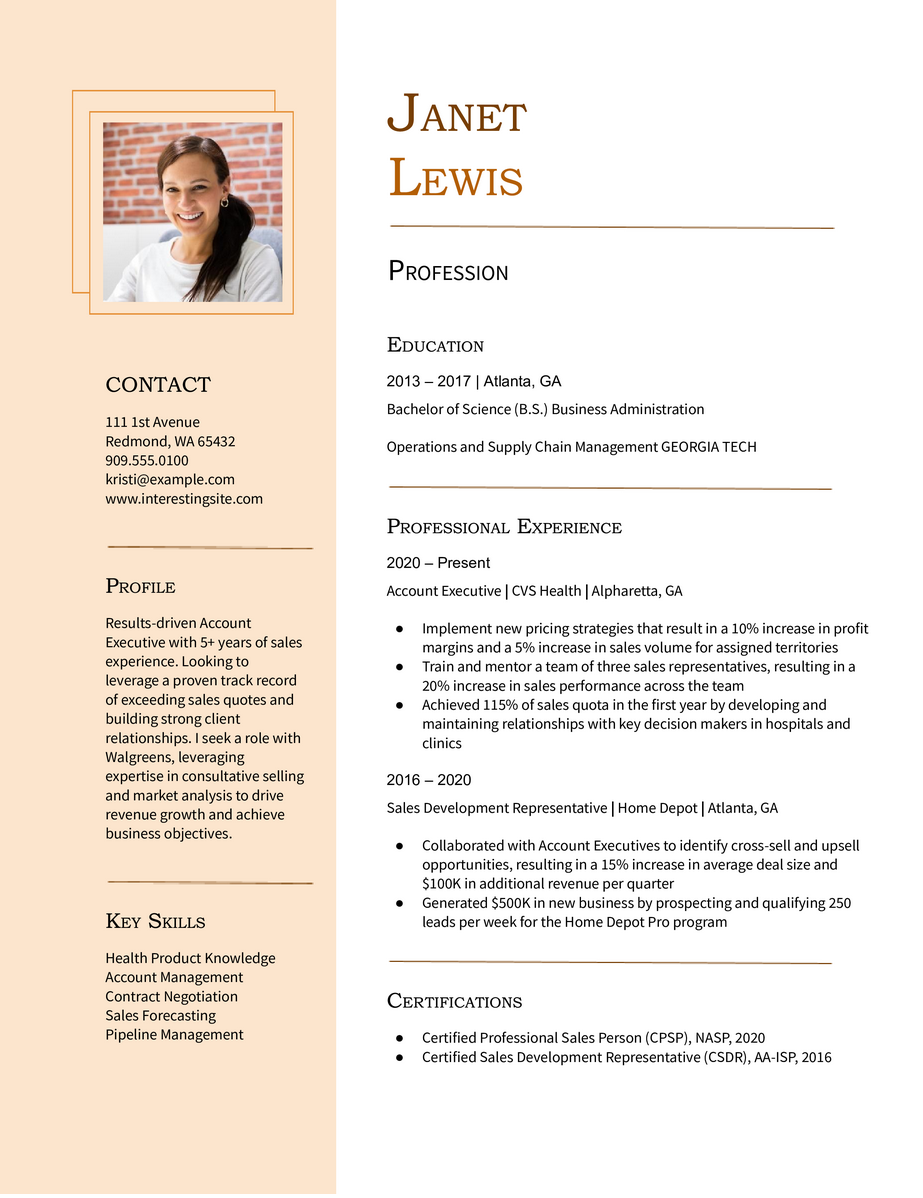
A strong resume doesn’t need to be expensive. Whether you’re switching careers, applying for your first job, or updating your existing resume, numerous professional, free resume templates are available online. Discover where to find them and learn how to select one that suits your industry, experience level, and goals.
This guide will discuss trusted sources for free resume templates, what to look for when choosing one, and how to tailor it for real impact.
Best Places To Find Free Resume Templates
Resume.org: Your first stop for modern templates
Resume.org offers an impressive collection of free resume templates designed for clarity and readability. Each template is customizable in-browser using its easy-to-use builder.
Explore industry-specific resume templates tailored to your field, from nursing to software development. You can start with their general resume templates and tweak from there. Resume.org also provides writing guidance as you go, helping you focus on impact over fluff.
Microsoft Word and Google Docs templates
If you’re already familiar with Microsoft Word or Google Docs, both platforms offer built-in templates you can access for free. These templates are easy to edit but often lack the design versatility of more modern platforms.
Tip: Stick with simpler layouts unless you’re applying for a creative role where bold design is encouraged.
Canva: Free with design flexibility
Canva is a no-cost graphic design platform with drag-and-drop functionality. It offers an extensive library of resume templates sorted by style and industry. Be mindful not to go overboard with visuals, as applicant tracking systems (ATS) may struggle to read overly designed documents.
What To Look For in a Resume Template
Clean formatting that’s ATS-friendly
Avoid templates with heavy graphics, columns, or non-standard fonts. Select layouts that highlight key sections, such as your experience, skills, and education, without overwhelming the reader.
Logical section flow
Templates should present information in a clear order. Generally, that means starting with a summary, followed by work experience, skills, and education. Make sure your most relevant information appears early in the document.
Customizability
Templates should be easy to modify based on your background. Look for templates that allow you to add or remove sections, switch headings, or reorder content without disrupting the formatting.
Choosing a Resume Format That Matches Your Experience
Chronological resumes work best for steady career growth
If you have a clear work history with progressively responsible roles, a chronological layout will effectively highlight your experience and growth over time.
Functional resumes focus on skills
Ideal for career changers or those with employment gaps, a functional resume leads with skills and projects rather than job titles.
Combination resumes give flexibility
This hybrid format highlights your experience and core strengths well, especially if you’ve held varied roles.
Example of a Clean Resume Template
Here’s a simplified example based on a standard layout:
Taylor Morgan
[email protected] | (555) 555-1234 | Chicago, IL 60601 | LinkedIn.com/in/taylormorgan
Professional Summary
Experienced administrative assistant with 5 years of experience supporting senior leadership in corporate environments. Skilled in scheduling, travel coordination, and managing confidential information. Known for improving team efficiency with streamlined processes.
Key Skills
Calendar management
Data entry
Microsoft Office Suite
Meeting coordination
Travel planning
Professional Experience
Administrative Assistant
Trinity Corporation, Chicago, IL | March 2020 to present
- Manage calendars and coordinate travel for three executives
- Organize monthly meetings, prepare agendas, and handle logistics for 20+ attendees
- Reduced scheduling conflicts by implementing a new internal calendar tool
Office Coordinator
Noble Partners, Chicago, IL | June 2017 to March 2020
- Maintained inventory, ordered supplies, and ensured smooth daily office operations
- Assisted with onboarding and orientation for new hires
Education
Associate of Applied Science in Business Administration
Harold Washington College, Chicago, IL
Certifications
Certified Administrative Professional (CAP)
You can build something similar using our free resume builder, which offers content prompts and structure guidance.
Tips for Customizing a Free Template
Use language from the job posting
Scan the job description for recurring phrases and keywords. Mirror that language in your resume, especially in the skills and summary sections, to better align with ATS systems.
Quantify your achievements
Numbers make your accomplishments more concrete. Think about how many, how much, how often. For example:
- “Reduced customer wait times by 30%”
- “Managed a portfolio of 50+ clients”
Trim unnecessary details
You don’t need to list every job you’ve ever had. Focus on the past 10 years and the roles most relevant to your target position.
Mistakes To Avoid When Using a Resume Template
Don’t leave placeholder text
This might seem obvious, but it happens more often than you’d think. Always proofread carefully and remove template prompts like “Insert job title here.”
Avoid over-stuffing keywords
While aligning your resume with the job description is essential, forcing too many keywords into every section will make it sound robotic. Use them naturally.
Never rely solely on the design
A beautiful resume won’t cover up weak content. Craft strong bullet points, clear summaries, and relevant skills — even when using a great template.
Why Avoid Overly Designed Templates
A flashy resume is not always the best choice, especially when applying online. Many companies use ATS to scan resumes before a human ever sees them. These systems often struggle to read resumes with heavy formatting, graphics, or multi-column layouts.
Overly designed templates can also distract from your qualifications. When the focus shifts to bright colors or stylized fonts, your experience may get overlooked. Employers typically scan a resume for just a few seconds, so clarity matters more than creativity in most industries.
A clean, single-column layout is the safest bet if you’re applying to roles in fields like accounting, nursing, or operations. Save the artistic templates for portfolios or creative professions where design is part of your skill set.
Stick with black text, readable fonts like Arial or Calibri, and clear section headings. Focus on content that demonstrates your value. A simple, structured resume that’s easy to skim will outperform a complicated one almost every time. You can still express personality through word choice and layout — keep it professional and functional.
Choosing an elegant but minimal design strikes the right balance between form and function.
Using Resume Templates for Career Changes
If you’re changing careers, a resume template can help you present your experience in a way that highlights transferable skills. Instead of focusing heavily on job titles, use a template that allows flexibility, with a strong skills section or space for a profile summary.
Start by identifying the core competencies in your target industry. Then, tailor your resume to show where you’ve demonstrated those abilities, even in a different field. For example, if you’re transitioning from retail to customer support, emphasize skills such as conflict resolution, time management, and client interaction.
Consider using a combination resume format that blends functional (skills-focused) and chronological (experience-focused) elements. This allows you to downplay unrelated job titles while highlighting relevant strengths. Use bullet points to connect your previous responsibilities with outcomes that matter in your new field.
Don’t be afraid to include a short “career change” statement at the top of your resume. This helps hiring managers understand your goals and see the intention behind your transition.
Templates from Resume.org make it easy to reorder sections and adjust wording to fit your new direction. With the proper structure and thoughtful edits, a free resume template can become a powerful tool for your career pivot.
FAQs About Jobs for People With Mental Illness
It depends on your goals. For a polished, ATS-friendly option, try Resume.org. For creative roles, Canva offers a broader range of visual designs.
Not exactly. Use one base template, but tweak the content for each application to reflect the job posting's specific language and focus areas.
Yes, if used wisely. A well-designed free template with tailored content can be just as effective as a paid one, especially when paired with strong writing.
Resume.org offers free, HR approved resume templates to help you create a professional resume in minutes. Choose from several template options and even pre-populate a resume from your profile.